

Low-Vision and Magnification Controls
Enlarge text and cursors, adjust spacing and alignment, choose readable fonts, and highlight links and buttons. Use Text Magnifier for individual content or Reading Lens for a wider reading area.
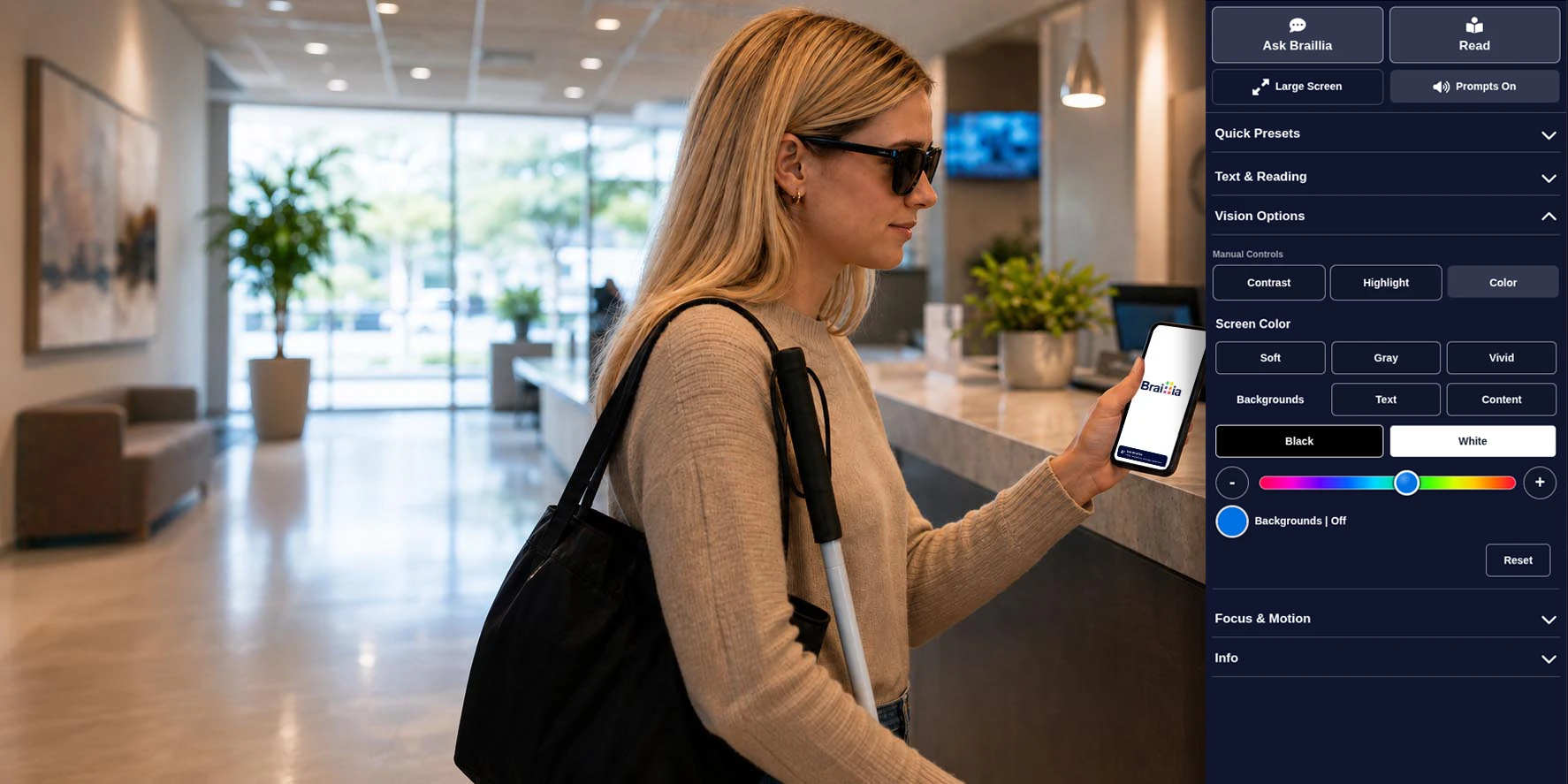
Braillia accessibility web app with Ask Braillia, reading, vision, contrast, and color controls beside a visitor using her phone at a reception desk.
Braillia Adapt · Personal accessibility support for your website visitors.
Braillia adds user-controlled accessibility tools directly to your website. Reading, visual adjustments, keyboard-friendly navigation, text and voice assistance, focus tools, and motion controls give people with disabilities different ways to perceive, explore, understand, and use digital information.
Braillia Adapt, our accessible web application, helps people access and use your digital information independently, right within your website. Add it to an approved website with a single line of launcher code, with domain approval and configuration managed through Braillia Portal.
It supports your organization’s broader efforts to address accessibility requirements related to ADA Title II, Section 508, and EN 301 549.
With a focus on WCAG 2.2, Levels A and AA, its accessibility features support screen-reader and keyboard access, low-vision readability, clear document structure, usable forms, and accessible interactive controls.
Braillia complements your broader accessibility efforts by giving people another way to navigate, understand, and act on your information.
Core features
Braillia’s web app brings accessibility support directly into the browser, giving visitors more control over how they see, hear, navigate, and interact with your content. People can adjust text and display settings, hear content aloud, use reading and dyslexia support, navigate by keyboard or voice, and reduce motion. AI page assistance, dictionary tools, image descriptions, and support requests provide additional ways to understand information and get help when they need it.
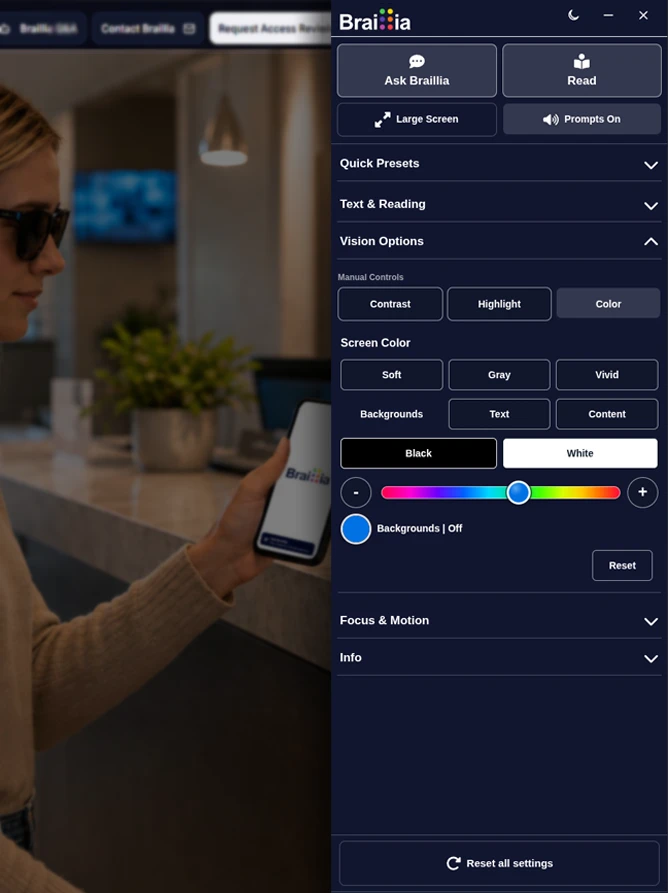
Enlarge text and cursors, adjust spacing and alignment, choose readable fonts, and highlight links and buttons. Use Text Magnifier for individual content or Reading Lens for a wider reading area.
Choose contrast modes, reading tints, black-and-white viewing, and color adjustments. Light and dark panel themes and the Easier to See preset make useful settings easier to reach.
Read Page aloud, explore page structure, and move through headings, sections, and forms with keyboard-friendly controls. Reading guides and masks help visitors keep their place.
Use voice prompts, image descriptions, and dictionary tools, or ask typed and spoken questions about the current page. Read and Ask Braillia remain prominent, easy-to-find actions.
Help Me Focus brings together settings that reduce distraction. Visitors can reduce motion, mute media, simplify the page, and save their preferences, with clear controls to reset settings when needed.
Braillia runs on approved websites with organization-managed branding and configuration. Visitors can resize or minimize the panel and reopen it from a clearly labelled Accessibility button positioned consistently with the launcher.
Quick presets
Plain-language presets help visitors choose a comfortable reading, viewing, focus, motion, motor, or cognitive support path quickly, based on the outcome they want.
Organization control
The embedded app is a Portal-managed Braillia runtime connected to approved domains, configuration, customer install script generation, feature configuration, aggregate reporting, install-health checks, and support signals.
Approved websites are managed in Braillia Portal with domain approval and policy gating, so entitlement is controlled by organization configuration rather than script attributes alone.
Braillia hosts the embedded app and launcher so improvements can ship centrally while customer websites keep the same lightweight installation.
Organizations can configure launcher position, panel side, enabled tools, feature profiles, hidden controls, and approved site behavior through Portal-managed controls.
Aggregate usage reporting, install-health checks, and support request signaling show where accessibility help is being used while private visitor content stays protected.
Website experience
Braillia helps organizations make their websites easier to read, hear, navigate, and understand directly on the page. It gives users immediate control over how they experience the page while giving organizations a scalable way to provide accessible support across approved websites.
The result is a more inclusive website experience that supports independence, comfort, and confidence through different reading, presentation, focus, and interaction options. People can select the tools that suit their needs rather than being required to use one mode of access.
Launch workflow
Within a few minutes your website can provide users another option for on-demand accessibility. Add your website to your admin screen, add the lightweight Braillia launcher code and Braillia takes it from there. The Braillia network portal handles the approved-site policy and app configuration and accessibility functionality.
Add the website in Braillia Portal.
Copy the hosted launcher script.
Test the installation on the approved site.
Go live with Portal-managed policy and reporting.
Privacy and policy
The launcher is easy to install while authorization remains controlled through Portal policy. Organization reporting uses privacy-safe operational signals while private visitor content stays protected.
Script attributes control presentation settings; Braillia Portal policy controls authorization.
Domain approval and entitlement come from Braillia Portal policy and the approved-site resolver.
Organization dashboards keep full private URLs, form values, Ask Braillia questions, AI answers, and visitor content private.
Usage reporting is designed around privacy-safe operational events and support signals.
Where it fits
Braillia is strongest where visitors need to read, decide, ask, submit, pay, schedule, request service, or understand critical information while still on the website.
Buyer questions
Government and business teams can begin with one accountable workstream, then expand the operating model only when another accessibility responsibility requires it.
Choose a real visitor task on an approved test website. Explore reading and display preferences, keyboard navigation, focus and motion controls, and supported assistance in that context. Review launcher placement, branding, and configuration with your team, alongside the underlying site's accessibility work.
Braillia Adapt is a hosted website experience launched from an approved customer website through a lightweight script. Visitors open it directly on the page, with no browser extension installation.
Visitors use the embedded support experience directly on the website through their current session. No visitor login, separate installation, or user portal account is required.
The customer site installs a lightweight hosted launcher script, but authorization comes from Braillia Portal policy and the approved-site resolver. The icon appears only when the current domain is approved.
The embedded app and remediation serve two connected roles. Remediation improves the underlying website, while the app gives visitors immediate, user-controlled support on the page. Accessible design, WCAG work, legal review, and formal testing remain essential parts of the organization's accessibility program.
Braillia reporting should focus on privacy-safe usage and support signals by approved site. Customer-facing dashboards should avoid exposing full private URLs, form values, Ask Braillia questions, AI answers, or visitor content.
Review the domains, visitor needs, controls, branding, and Portal configuration required for a focused embedded website rollout.